 See on GitHub
A Python-based toolset for generating realistic Minecraft worlds from real-world geospatial data. This project uses SCons to orchestrate the processing of elevation data, bathymetry, proper land cover mapping, and OpenStreetMap (OSM) features into a WorldPainter-compatible format.
Features
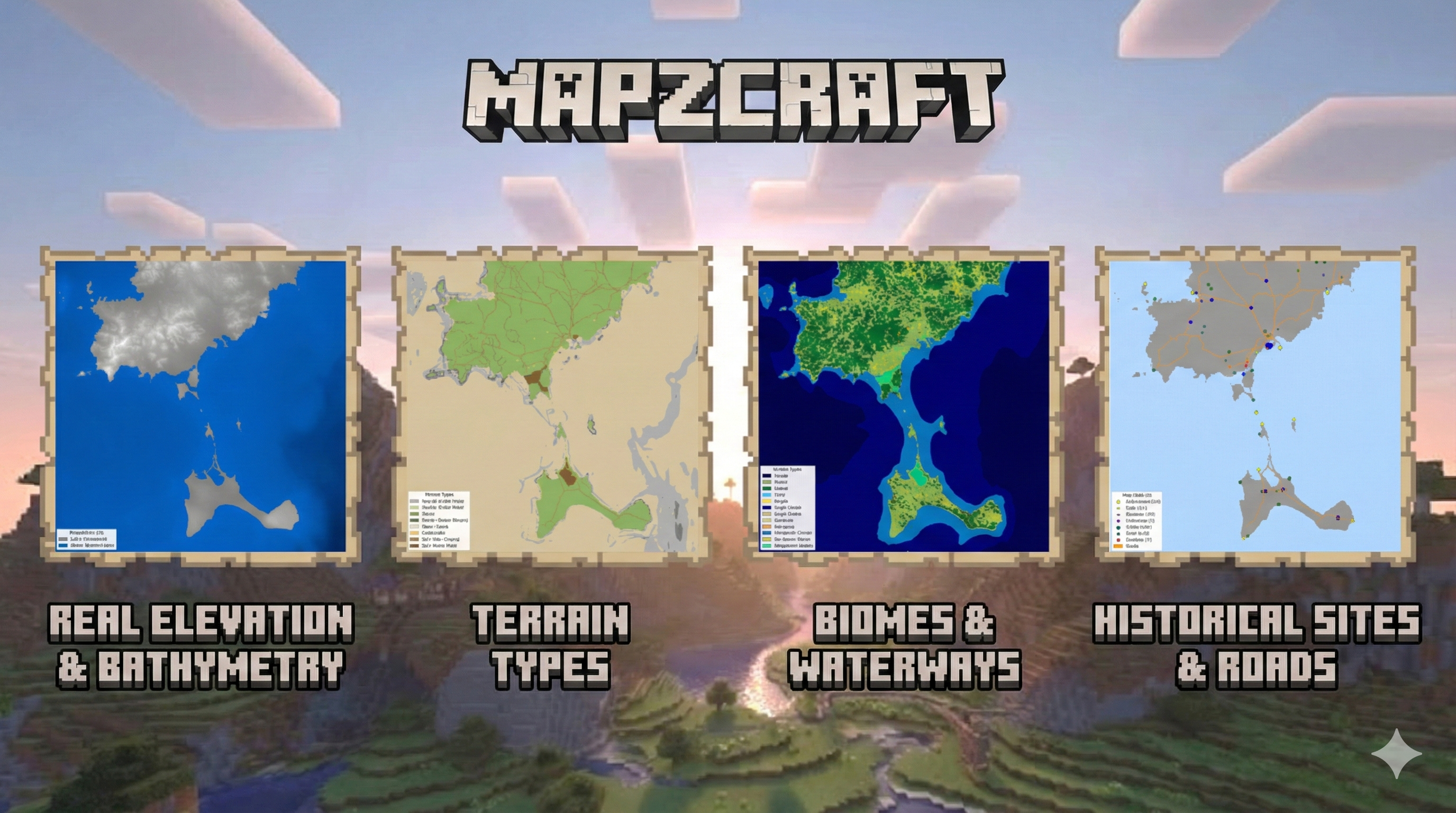
🌍 Real-world Terrain & Bathymetry
Downloads and processes high-resolution elevation data (SRTM/Copernicus) and reprojects it to meters (EPSG:3857).
- Bathymetry Merging: Seamlessly blends land elevation with underwater depth data (EMODnet/GEBCO) to create realistic coastlines and ocean floors.
- Zero-Level Handling: Configurable sea level and masking to prevent shallow coastal artifacts.
🌲 Biomes & Land Cover
Uses ESA WorldCover data to automatically map real-world land categories to Minecraft biomes.
- Smart Mapping: Forests, shrublands, grasslands, and bare areas are translated into appropriate biome IDs.
- Cliff Detection: Slope-based analysis automatically assigns cliff or stone shore biomes to steep terrain.
🛣️ OpenStreetMap Integration
Fetches vector data from OSM to populate the world with human infrastructure.
- Roads: Carves road networks (motorways to residential) directly into the terrain with configurable widths.
- Buildings: Places building footprints. Supports both procedural block placement and custom schematic usage (e.g., cathedrals, mills, towers) defined in
config.yaml. - Waterways: Rivers and streams are carved into the land, ensuring hydrologically consistent water features.
🎨 WorldPainter Automation
Generates a comprehensive build_world.js script that orchestrates the entire map creation process in WorldPainter.
- Layer Handling: Automates the application of heightmaps, biome masks, and annotation layers.
- Export Ready: Produces a
.worldfile ready for export to Minecraft.
🖼️ Visualization Support
Includes a dedicated preview pipeline (scons preview) to generate debug images for:
- Heightmap:
assets/img/heightmap.png - Terrain:
assets/img/terrain.png - Land Cover:
assets/img/land_cover.png - Biomes:
assets/img/biomes.png - Schematics:
assets/img/artifacts.png
Prerequisites
- Python 3.10+
- WorldPainter: Installed and accessible from system’s path.
- SCons: For build automation.
Installation
- Clone the repository.
- Install Python dependencies:Note: You may need
1pip install -r requirements.txtgdalinstalled on your system forrasterioandosgeodependencies depending on your OS.
Configuration
Create a .yaml in the config/ folder to customize your project:
- Project: Set name and directory paths.
- Geospatial: Define
bounds(min_lon, min_lat, max_lon, max_lat) andresolution. - Minecraft: Configure build limits, sea level, and scale.
- Features: Enable/disable biomes, roads, buildings, waterways, etc.
Usage
This project uses SCons to manage the build pipeline. All commands are run from the project root.
Standard Build
To run the full pipeline, generate the world, and install it to your Minecraft saves folder:
| |
(This runs the default install target)
specific Targets
You can run specific parts of the pipeline:
Generate Previews:
1scons previewCreates preview images in
build/[project_name]/preview/(terrain.png,biome.png, etc.).Process Elevation Only:
1scons processDownload & Process OSM Data:
1scons roads buildings waterwaysGenerate WorldPainter World:
1scons worldCreates the
.worldfile inoutput/using the generated script.Export Level:
1scons exportConverts the
.worldfile to a Minecraft save directory structure inoutput/worlds/.
Project Structure
config/: Configuration files (e.g.,default.yaml).SConstruct: SCons build definition file.src/: Source code modules.data.py: Elevation and bathymetry downloading.geospatial.py: Terrain processing, scaling, and reprojection.biomes.py: Biome mapping and classification.osm.py,roads.py,buildings.py,waterways.py: OSM data integration.worldpainter.py: Automation script generation.visualize.py: Preview image generation logic.amulet_editor.py: Final world placement and processing.
build/: Generated artifacts, downloaded raw data, and intermediate masks (organized by project name).assets/: Static assets likeschematics/for building placement.