
 See on GitHub
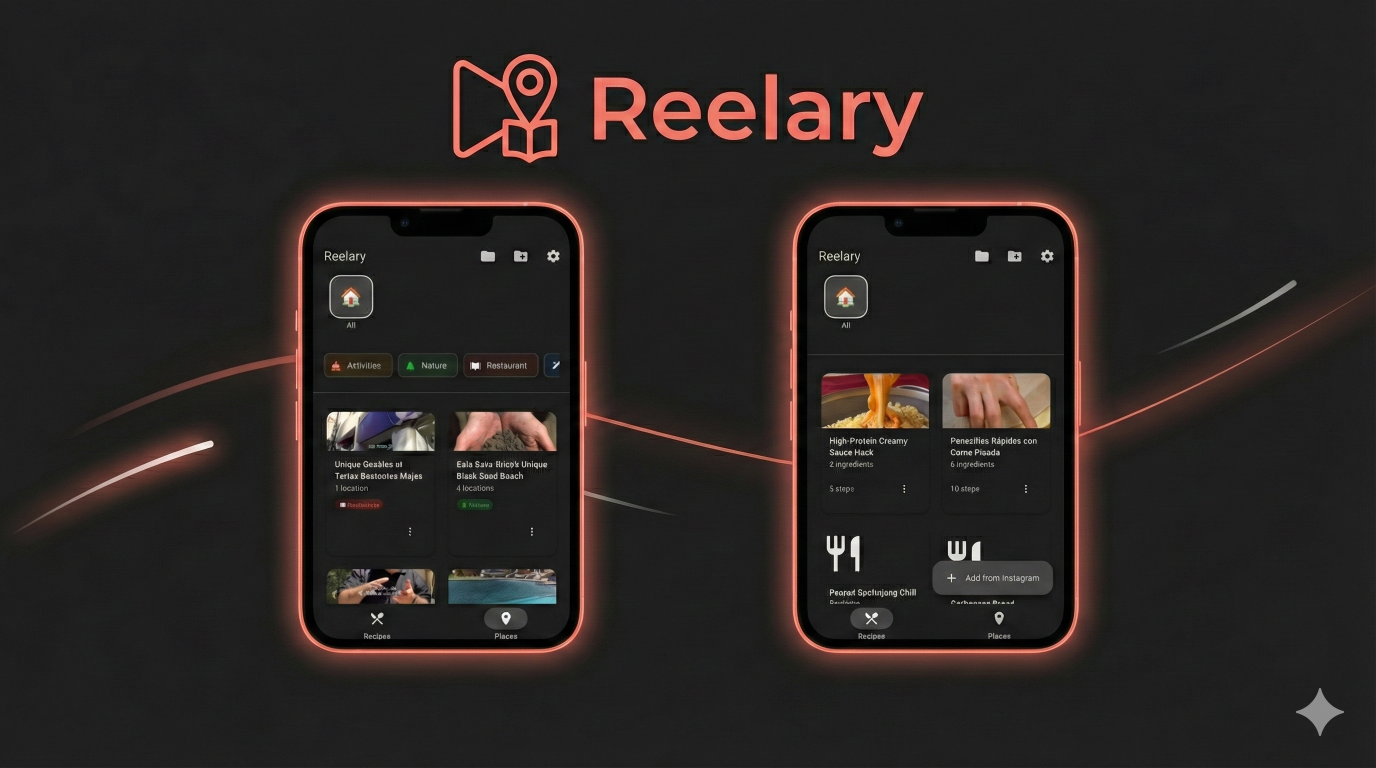
A beautiful Flutter app to extract recipes and places from Instagram Reels using Gemini API, with Material Design 3 UI and folder-based organization.
DISCLAIMER: DEMONSTRATION PURPOSES ONLY This application is strictly for educational and demonstration purposes. It is NOT intended to be run or distributed as it may infringe on Instagram’s Terms of Use. Use at your own risk.
✨ Features
- 📱 Extract Recipes & Places: Convert Instagram Reels into structured recipes or place recommendations
- 🗺️ Interactive Maps: View locations on Google Maps with markers and navigation
- 🏷️ Smart Categorization: Automatic AI tagging for places (Restaurant, Travel Spot, Activities, Nature)
- 📁 Folder Organization: Organize recipes and places with customizable emoji folders
- 🎨 Material Design 3: Modern, beautiful UI with dark mode support
- ✅ Interactive Cooking: Check off recipe steps as you cook
- 📍 Location Management: Multiple locations per place with GPS coordinates and addresses
- 💾 Local Storage: All data stored locally with SQLite
- 🌙 Dark Mode: Automatic theme switching based on system preferences
Setup Instructions
Prerequisites
Required: RapidAPI Instagram Downloader API - For downloading Instagram videos cross-platform
App Setup
Initialize Flutter Project Since this is a new project, you need to generate the platform-specific files (Android/iOS). Run the following command in your terminal:
1flutter create .Configure Android Manifest The app uses the
receive_sharing_intentpackage to handle shared URLs from Instagram. After runningflutter create ., checkandroid/app/src/main/AndroidManifest.xml. Ensure the following<intent-filter>is present inside the<activity>tag:1 2 3 4 5<intent-filter> <action android:name="android.intent.action.SEND" /> <category android:name="android.intent.category.DEFAULT" /> <data android:mimeType="text/plain" /> </intent-filter>Note: I have already created this file for you, but
flutter createmight overwrite it or require you to merge changes.API Keys Configuration
a) Gemini API Key Get your Gemini API key from Google AI Studio.
b) RapidAPI Key
- Sign up at RapidAPI
- Subscribe to Instagram Premium API 2023 (has free tier)
- Copy your API key from the dashboard
c) Google Maps API Key
- Go to Google Cloud Console
- Create a new project or select an existing one
- Enable the Maps SDK for Android and iOS
- Create credentials (API Key)
- Restrict the API key to your app’s package name for security
For Android: Open
android/app/src/main/AndroidManifest.xmland replaceYOUR_API_KEY_HERE:1 2 3<meta-data android:name="com.google.android.geo.API_KEY" android:value="YOUR_GOOGLE_MAPS_API_KEY" />For iOS: Open
ios/Runner/AppDelegate.swiftand replaceYOUR_API_KEY_HERE:1GMSServices.provideAPIKey("YOUR_GOOGLE_MAPS_API_KEY")d) Update .env file Open the
.envfile in the root directory and add your keys:GEMINI_API_KEY=your_gemini_key_here RAPIDAPI_KEY=your_rapidapi_key_here RAPIDAPI_HOST=instagram-premium-api-2023.p.rapidapi.com INSTAGRAM_POST_INFO_ENDPOINT=/v1/post_infoRun the App
1flutter run
How to Use
Recipes
- Share to App: Share an Instagram Reel directly to Reelary
- Paste URL: Manually paste a Reel URL
- Gemini Extraction: Uses Gemini 2.0 Flash to analyze the video and extract ingredients and steps
- Recipe Storage: Saves recipes locally with interactive cooking mode
Places
- Extract Places: AI identifies locations, addresses, and categories from travel/food Reels
- View on Map: Interactive Google Maps view with markers for each location
- Smart Tags: Automatically categorized into Restaurant, Travel Spot, Activities, or Nature
- Navigate: Direct navigation links to Google Maps for each location
- Share: Share place details with Google Maps links included